
You're building a flow, referencing dynamic content, and everything works perfectly in testing. Then in production, the flow fails with an "InvalidTemplate" error saying a property doesn't exist. The fix? A single character you probably overlooked: the question mark ? before the bracket notation. This small operator is the difference between a flow that crashes on missing data and one that handles it gracefully.
What Is the Question Mark Operator
The question mark operator in Power Automate is officially called the "null ignore operator." It's part of the Workflow Definition Language that Power Automate shares with Azure Logic Apps. When you place a ? before accessing a property, you're telling the expression engine to return null instead of throwing an error if the property doesn't exist.
There are two forms you'll encounter:
triggerBody()?['value']
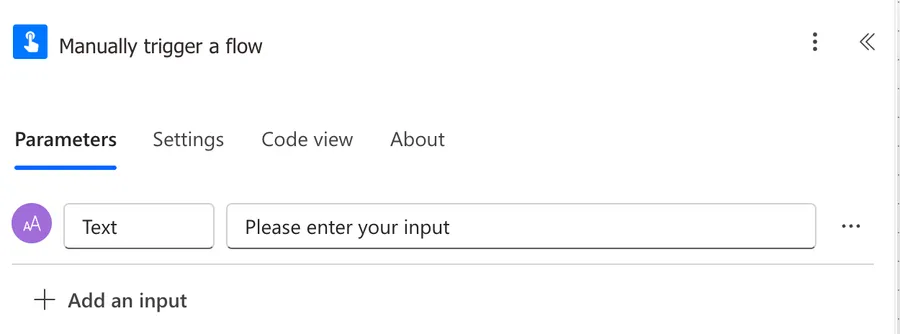
The above formula is useful if you want to get all parameters in one go for example.
Here's the result.
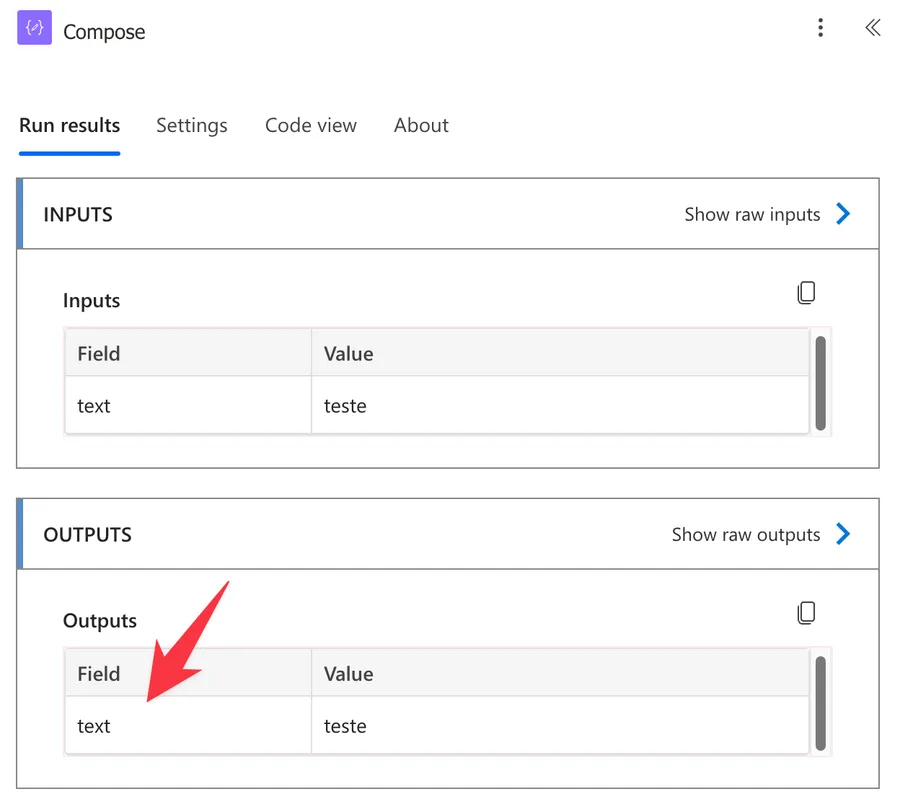
You can use this in any expression that is an object to access its items.
What Happens Without It
Without the ? operator, accessing a property that doesn't exist produces this error:
InvalidTemplate. Unable to process template language expressions in action 'Action_Name' inputs: 'The template language expression cannot be evaluated because property 'propertyName' doesn't exist, available properties are '...'.'
Here's what makes this tricky - you might think wrapping the expression in a "coalesce" function would handle it:
coalesce(triggerBody()['text_2'], null)
It won't.
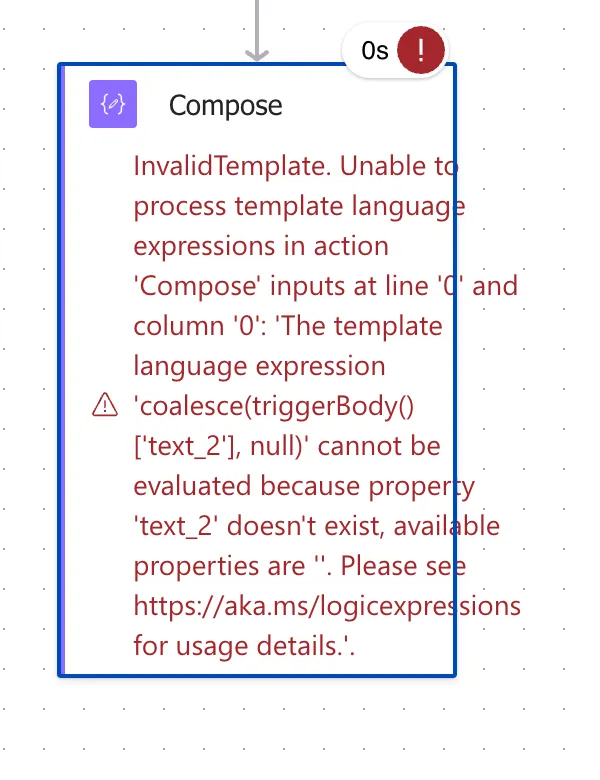
The error happens during expression evaluation, before the "coalesce" function even gets a chance to provide a fallback value. The expression engine tries to access ['text_2'], fails, and throws the error immediately. You need the ? operator to prevent the error in the first place:
coalesce(triggerBody()?['text_2'], null)
Common Scenarios Where You Need It
The most common scenario is instant flows with optional inputs. When a user leaves an optional field blank, that property doesn't exist in triggerBody() at all - it's not empty, it's simply not there.
SharePoint columns are another frequent case. If a list item has a person column, lookup column or optional field that hasn't been filled in, accessing it without ? crashes the flow.
You'll also run into this with:
- HTTP connector responses where the API returns different structures depending on the result
- Approval responses where properties only exist after someone has responded
- Filter array outputs where Power Automate's dynamic content sometimes generates unsafe references without the
? - Conditional JSON payloads where fields appear only under certain conditions
The pattern is always the same - any time a property might not exist in the data, you need the ? operator.
Chaining for Nested Properties
When you're accessing deeply nested data, each level in the chain can independently be null or missing. You can chain multiple ? operators to guard each level:
body('Get_item')?['Author']?['Email']
Each ? acts as a checkpoint. If body('Get_item') is null, the entire expression returns null without attempting to access ['Author']. If the Author property is missing, it returns null without trying ['Email']. Only if every level exists do you get the actual email value.
Here's a more complex example with an approval response:
body('Start_an_approval')?['responses']?[0]?['responder']?['email']
Notice that ? works with array indices too - ?[0] safely returns null if the array is empty or null.
Combining with Other Functions
The real power of the ? operator comes from combining it with functions like "coalesce" and "empty" to build robust expressions.
To provide a default value when a property might not exist:
coalesce(triggerBody()?['optionalField'], 'default value')
The ? operator returns null if the property is missing, and the "coalesce" function then replaces that null with your default value. Without the ?, the expression fails before the "coalesce" function can do its job.
To check if a value exists and is not empty:
if(empty(triggerBody()?['optionalField']), 'was empty', triggerBody()?['optionalField'])
Notice that you need the ? in both places-once in the "empty" check and once when retrieving the value. Each expression evaluation is independent, so each one needs its own safe navigation.
Final Thoughts
The question mark operator is one of those small details that separates flows that work in testing from flows that work in production. Testing usually has complete data, so you never see the missing property errors. Production has real users who leave fields blank, APIs that return inconsistent responses, and SharePoint columns that haven't been filled in. Make it a habit to always use ?[] when accessing properties, and you'll avoid an entire category of runtime errors.
Photo by Buddha Elemental 3D on Unsplash


No comments yet
Be the first to share your thoughts on this article!