Meta removed this feature days after it shipped for privacy concerns. I'm keeping the article as is in case it comes back. Sometimes things like that happen.
In case you didn't know, Instagram just released a new "Muse AI" feature that will allow anyone to generate videos and images with any public profile.
Muse Image connects deeply with the Meta ecosystem. Combined with social tools in Meta AI, users can create images with friends and reimagine their Instagram photos. Our ongoing investments in image and video generation will further enable creators and businesses to generate dynamic content across Meta products.
They say "friends", but it could be anyone with a public profile. If you remember X/Grok's debacle recently you will start getting worried as soon as you read "public profile".
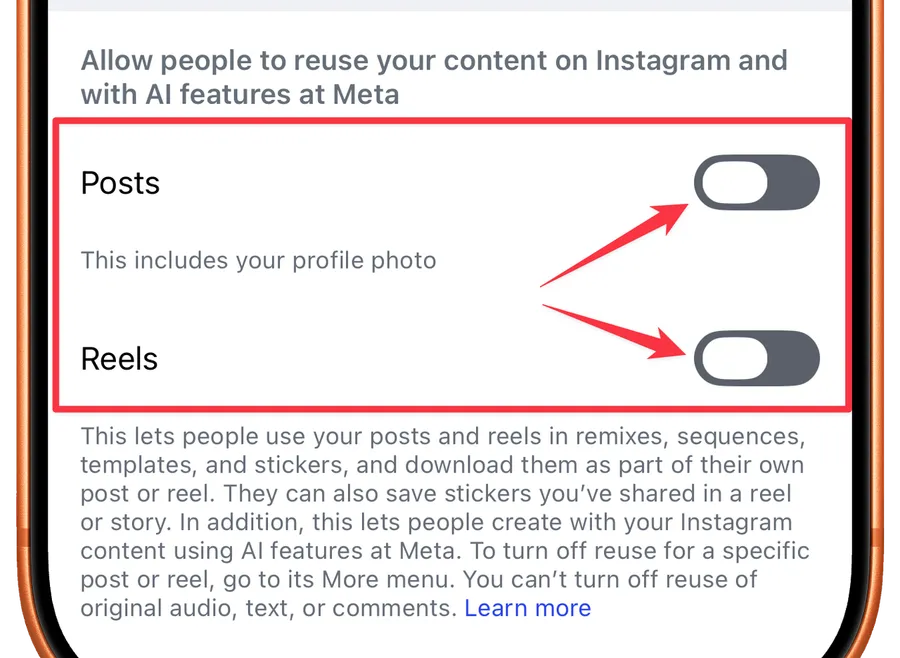
The worse part is that you're opted in by default. You need to go and opt-out so here are the instructions.
I would recommend disabling it, and if you want to do it here's how.
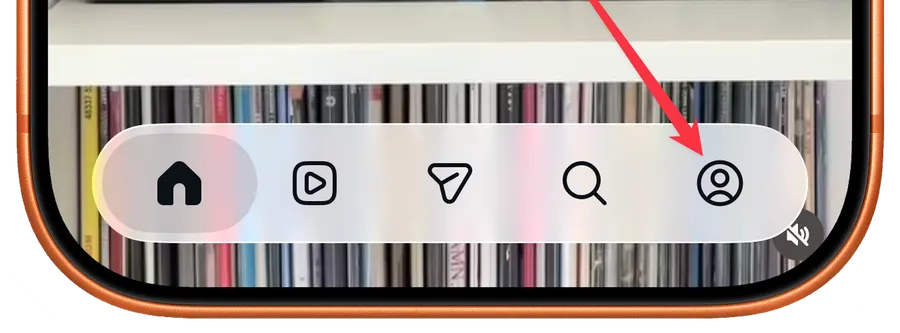
Go to your profile:
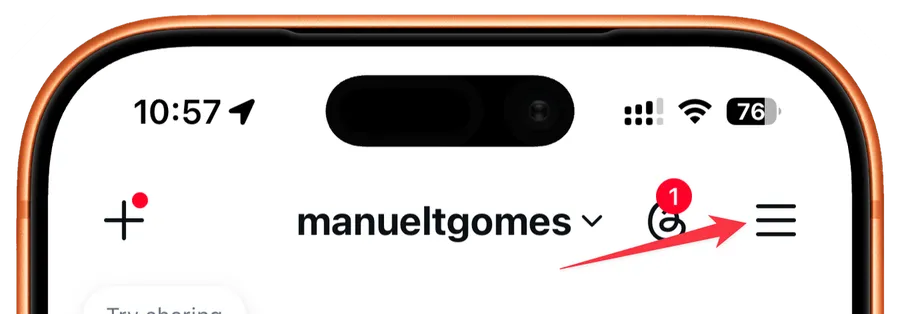
Pick "Sharing and reuse"
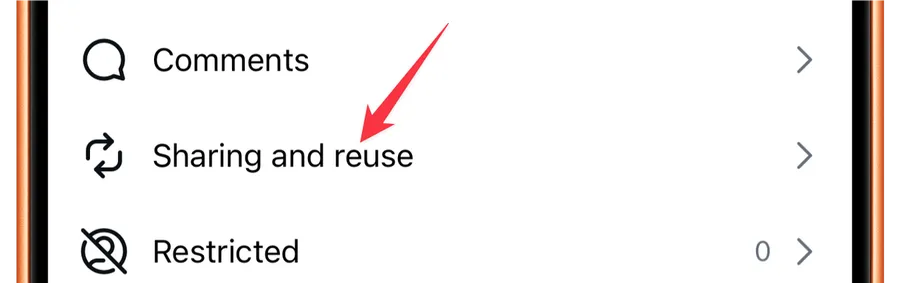
Disable both posts and reels.
Final Thoughts
Following the debacle of Grok's sexualized images I hope that Instagram builds some sort of safeguard in this feature, but I'm not too hopeful. People always find a way to be creepy.
Being "opt-in" by default is crappy but I'm sure that people will be happy to enable it just to get that extra points in visibility.
No comments yet
Be the first to share your thoughts on this article!