
I frequently discuss what's new in Power Automate and what features you can take advantage of, but it's also important to know what's going away, especially to prepare in case the changes can impact you. Here are a few things that are going away and what you can do.
The full list is here, in case you want more details, but here are the highlights.
Mobile apps are no more
Some of you would not even know it existed, but it was quite a useful app in its own right. Here's what Microsoft has to say:
Effective August 31, 2026, the Power Automate mobile app for iOS and Android is deprecated. Microsoft removes the app from the Apple App Store and Google Play Store and it no longer receives updates or support.
Existing cloud flows aren't affected. Automated, scheduled, and instant flows continue to run normally.
So this was just a convenient way for you to get notifications about your Flows, but it was especially useful for approvals where you could know their status quite quickly and conveniently.
It was also nice to know the status of the Flows, whether something went wrong or not, and especially nice to have a widget to trigger them, but now it all shifts to the other apps, Power Apps or Teams (on mobile), and the web interface.
If you use the "Send me a mobile notification" action, your Flows will still work, but there's no notification sent.
If you need the notifications, you can always go to Teams and see their status although you only see changes, not if the Flow ran correctly. You can still run Flows via the Power Apps iOS app, but it's the same thing. You can trigger the Flows that you want but you can't pick a random one and see its status.
Overall you will lose functionality, but as Microsoft puts it:
A small share of Power Automate users use the Power Automate mobile app.
Excel add-in
If you (or your admin) went to Excel's marketplace and installed Power Automate, then you need to change it to the "native" Automate tab in Excel.
The native Automate tab is nicer than the add-in, so it makes sense that Microsoft will replace it.
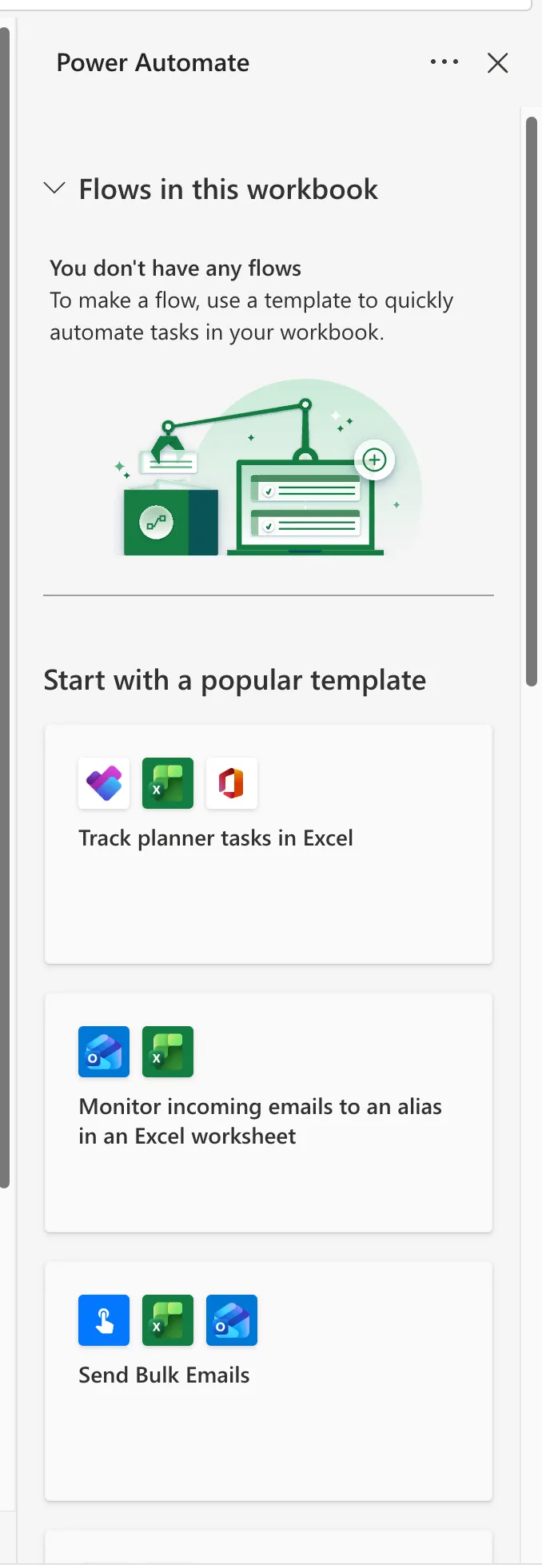
To do that just open Excel > Automate:

Click the button and you'll see some suggestions or, already added Flows:
No more personal service accounts
This one is a bit trickier, and it has already happened. The deprecation started on May 27, 2025 and ended on July 26, 2025, so if you were on a personal account the door is already closed. According to Microsoft:
The deprecation of personal accounts in Power Automate is aimed at enhancing security and aligning the platform with professional, enterprise-grade standards. Work or school accounts offer the robust authentication, enterprise-level security, and advanced functionality needed to ensure a seamless and secure experience for managing automation workflows in modern environments. This transition reflects a commitment to delivering a more reliable and focused tool for professional use.
The impact was not small. After the deadline you can't sign in to the Power Automate portal or the mobile app with a personal address like gmail.com or outlook.com, you can't create or edit cloud flows, and any cloud flows tied to those accounts were permanently removed and deleted. If you missed the window, they are gone.
One thing that was spared is Power Automate for desktop, which continues to work with personal email accounts.
I can be wrong but I believe that Personal Accounts would benefit a lot from the unified workflow that Microsoft has as well as the multifactor authentication. The difference is that they were outside Microsoft's "ecosystem", meaning that usually schools and work have their infrastructure in Microsoft benefiting from their enterprise protection features. If this is what Microsoft means by "enhancing security" then maybe, but this removes the path for some users to have a Gmail account and start using Power Automate.
The way back in is the Power Apps Developer Plan. It's free, so this isn't a straight push into a paid license, but it asks a lot of someone who just wanted to automate something small. You need an Azure account, you use it to set up a Microsoft Entra tenant, and only then can you create a developer environment and import your flows back in. You don't need a custom domain or a mailbox, since the tenant gives you an onmicrosoft.com address, but it's still a fair amount of setup.
What I'd keep an eye on is where that free plan stops. The Developer Plan is meant for development and testing, not production, and it caps you at 750 flow runs a month and 2 GB of database. You can't buy add-ons to raise those, and Microsoft's own advice when you hit them is to purchase a plan that supports production use. So it isn't a bill today, but the ceiling is low enough that a real automation habit will run into it.
I may be reading too much into this, so if you know more please email me and I'll be happy to fix this section.
Other deprecations
A few more are worth a mention, even if they impact fewer people.
If you use Visio to design your processes, the export of BPMN diagrams to Power Automate is going away on July 14, 2026. You'll have to rebuild those diagrams as flows in the designer, which isn't the worst outcome since you get the templates and the connectors right there.
Test Engine for Power Platform test automation is being retired in April 2026, and the replacement is Playwright. Microsoft has published Power Platform Playwright samples to get you started, so if you have test automation in place it's worth looking at those before the date arrives.
The "Format Data by Examples" feature in the classic designer was removed back in the first week of August 2025. The expression assistant in the expression editor does the same job now, where you describe what you want in plain language and it builds the Power Fx formula for you.
Final Thoughts
Deprecations are part of the evolution of platforms, especially complex ones, where there's a limited number of people (and agents) to develop the tasks, so it's important to direct the resources to the features that are used by most people.
I'll try to do this once in a while and keep you updated on changes as I see them, but if you have something else that you want me to talk about please email me and I'll do my best to write about it.
Photo by Markus Spiske on Unsplash


No comments yet
Be the first to share your thoughts on this article!