
In Power Automate, we parse a lot of strings and collections. Sometimes it's essential to know whether something exists inside another collection. The "contains" function does exactly that.
For example, if you want to walk through a list of people and build a list of unique names, you would:
- Define an array variable.
- For each element, check whether it's already in the array.
- If it isn't, add it.
It's a simple example, but it would be a lot harder without the "contains" function.
So let's see how to use it.
Where to find it?
"contains" lives under the Collection functions group in the expression editor. You'll most often type it straight into a Compose action, a Condition, or a Filter array action, but it works anywhere you can write an expression.

This "contains" is an expression that runs inside your flow. It is not the same as the OData contains you might write in the filter query of a Get items or "List rows" action. SharePoint's "Get items", for instance, doesn't support OData contains at all (there you reach for substringof).
The case rules differ too, and that catches people out. Microsoft documents that Dataverse OData filters on string values are case-insensitive, so the same word behaves the opposite way there than it does here. SharePoint's filters are widely reported to be case-insensitive as well, but that isn't stated in the docs, so I wouldn't design around it. Dataverse also has a third thing called Contains, a separate query function for full-text-indexed columns, which is not this function either.
Usage
It follows a simple pattern: you pass the collection you want to search, then the value you're looking for.
contains('<collection>', '<value>')
| Parameter | Required | Type | Description |
|---|---|---|---|
| collection | Yes | String, Array, or Object | The collection to search through. |
| value | Yes | String, Array, or Object | The item to look for: a substring in a string, an element in an array, or a key in an object. |
The function always returns a boolean: true when the item is found and false when it isn't.
Find a substring inside a string
The most common use is checking whether a string contains a piece of text.
contains('hello world','world')

will return

true
The match is substring-based, so partial matches work fine.
Find a value inside an array
Arrays work the same way, but the value you pass needs to be one of the array elements.
createArray('1','2','3')
contains(variables('TEST_ARRAY'),'2')

will return

true
It makes sense, since '2' exists somewhere in the collection. But what happens if we pass the integer 2 instead of the string '2'?
createArray('1','2','3')
contains(variables('TEST_ARRAY'),2)

will return

false
Piotr flagged in the comments that an earlier version of this article showed true here, which was incorrect. The function does not coerce types, so the integer 2 is not the same as the string '2'.
Power Automate does not auto-convert between types, so the comparison fails. We'll see the same behavior with booleans below.
Speaking of comparisons, let's try with spaces and see what we get.
createArray('Manuel','T','Gomes')
contains(variables('STRING_ARRAY'),' T ')

will return

false
The string needs to match the absolute value. So let's try the opposite way.
createArray('Manuel',' T ', 'Gomes')
contains(variables('ARRAY_WITH_SPACES'),'T')

will return

false
Again, the string needs to match the exact same characters.
Let's try with boolean values:
createArray(true,false)
contains(variables('BOOLEAN_ARRAY'),true)

will return

true
createArray(true,false)
contains(variables('BOOLEAN_ARRAY'),false)

will return

true
How about this?
createArray(true,false)
contains(variables('BOOLEAN_ARRAY'),'true')

will return

false
Why? The datatypes are different, so the comparison fails. This is the same behavior we saw with the integer example: no type coercion.
Finally, let's test another collection.
createArray('Manuel','T','Gomes')
contains(variables('STRING_ARRAY'),'["Manuel","T","Gomes"]')

will return

false
Although they have the same structure, Power Automate treats the second parameter as a string, not an array. There is a flip side, though: when the left-hand side is a string (even one that looks like a JSON array), "contains" does substring matching on the text.
contains('["Manuel","T","Gomes"]','Manuel')

will return

true
This works because the text "Manuel" literally appears inside the string, not because Power Automate parsed it as an array. The same expression with 'Manu' would also return true. So you can sometimes swap a createArray call for a JSON string, but treat it as a substring search, not as real array membership.
Find a key inside a dictionary
When the collection is a dictionary (an object), "contains" checks for a key, not a value.
contains(json('{"name":"Manuel","city":"Lisbon"}'),'name')

will return

true
contains(json('{"name":"Manuel","city":"Lisbon"}'),'Manuel')

will return

false
This is handy when you want to check whether an optional property is present in a JSON payload before reading it.
Edge Cases
"contains" is case-sensitive
This is the gotcha that catches almost everyone the first time. The function does not normalize case.
contains('Manuel T Gomes','manuel') returns false, while contains('Manuel T Gomes','Manuel') returns true.
The standard workaround is to lowercase both sides before comparing.
contains(toLower(variables('NAME')),toLower('manuel'))
That way the comparison is case-insensitive without any extra logic.
Types must match exactly
As we saw above, integer 2 does not match string '2', and boolean true does not match string 'true'. If your data could come in as a different type than you expect, convert it explicitly with the string, int, or bool function before calling "contains".
An empty substring always matches
Searching for an empty string is a special case worth knowing about. Every string "contains" an empty string, so the result is always true, even when the collection itself is empty.
contains('hello','')

will return

true
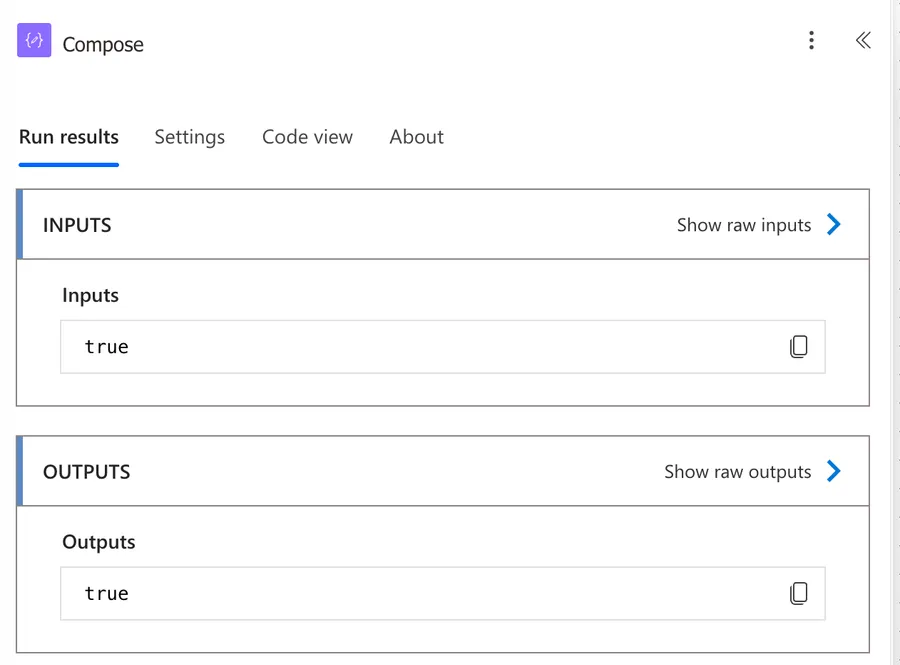
The same holds when both sides are empty.
contains('','')

will return

true
This matters when the value you're searching for comes from dynamic content. If that value can arrive empty, "contains" will report a match that isn't really there, so check for an empty value first when it could throw off your logic.
Watch out for null inputs
If the collection parameter is null (for example, a SharePoint field that was never filled in), "contains" throws a runtime error instead of returning false. To stay safe, fall back to an empty value with coalesce.
contains(coalesce(variables('NAME'), ''), 'manuel')
The same idea works for arrays: coalesce(variables('LIST'), createArray()).
Limitations
There are a few things to keep in mind.
Expression size limit
Power Automate caps expressions at 8,192 characters. If your expression grows even close to 1000 characters, break it up using Compose actions. Long inline expressions are hard to debug anyway.
You can't search arrays inside arrays
"contains" will not match a sub-array against a parent array, and it won't match a JSON-encoded array string against a real array either, as we saw earlier.
You can't search inside the objects of an array
If you have an array of objects, "contains" compares against the whole object, not the properties inside it. So it can tell you whether an exact object is in the array, but it can't tell you whether any object in there has Title set to "Manuel". For that you'll need a Filter array action or an Apply to each loop with the right comparison.
Case sensitivity
Already covered above, but worth repeating: "contains" is case-sensitive. If that's not what you want, lowercase both sides.
Troubleshooting Common Errors
A couple of failures show up again and again with this function.
The provided value is of type 'Null'
Cause: The collection parameter is null, usually a SharePoint field or a variable that was never populated. The full message reads "Unable to process template language expressions... The template language function 'contains' expects its first argument 'collection' to be a dictionary (object), an array or a string. The provided value is of type 'Null'."
Solution: Guard the input with coalesce so a missing value falls back to an empty string or array.
contains(coalesce(variables('NAME'), ''), 'manuel')
"contains" returns false when the value is clearly there
Cause: The types don't match. The integer 2 is not the string '2', and the boolean true is not the string 'true'. "contains" never coerces types.
Solution: Convert both sides to the same type first with the string, int, or bool function, then compare.
The flow saved fine, but it breaks every time it runs
Cause: Power Automate checks expressions at two different moments. If everything in the expression is a constant, it can be evaluated while you're building, so a mistake surfaces at save time as an InvalidTemplate error. The moment your expression depends on a dynamic value, like a variable or a trigger output, there's nothing to check until the flow actually runs, and a failure comes back as ExpressionEvaluationFailed. That's why contains(variables('NAME'),'manuel') saves happily and only falls over on the first run, when NAME turns out to be empty.
Solution: Treat a clean save as no guarantee at all. Run the flow with real data, and guard the inputs as described above.
Recommendations
Here are some things to keep in mind.
Use "debug" Compose actions
Since the comparison returns true or false, it can be tricky to understand how a complex expression is being evaluated. I recommend using Compose actions to surface the values that go "in" to the function. This way, when the result doesn't make sense, you can see the parameters and figure out why.
Don't feed a "contains" result back into another "contains"
"contains" returns a boolean, not a collection, so passing its output as the collection parameter of another "contains" will fail. You can absolutely use "contains" inside other expressions like the "if", "and", or "or" functions. That's fine and very common. The thing to avoid is treating the boolean result as if it were a list.
Reach for "indexOf" when you want case-insensitive matching
"contains" respects case, so the usual fix is to wrap both sides in toLower. For strings there's an even shorter route: indexOf is not case-sensitive, so greaterOrEquals(indexOf(variables('NAME'),'manuel'),0) tells you whether the substring is there regardless of case.
Use "intersection" to compare two arrays at once
"contains" checks one value at a time. If you need to know whether two arrays share any items, intersection paired with length is cleaner than looping: greater(length(intersection(variables('A'),variables('B'))),0) returns true when they overlap.
Retype expressions instead of pasting them
If you copy an expression straight out of a documentation page and it fails with InvalidTemplate even though it looks perfect, the paste probably brought invisible Unicode characters along with it. Microsoft calls this one out in their own error reference, which I find quite funny. Typing the expression by hand clears it up.
Guard the field when you use it in "Filter array"
The visual "contains" operator inside a Filter array action compiles to this same function, so the null gotcha still applies. In advanced mode, use safe navigation with a fallback: @contains(coalesce(item()?['Title'],''),'value').
Final Thoughts
The "contains" function is a small but mighty helper when you need to check membership inside strings, arrays, or dictionaries. Just remember that it cares about exact matches and data types, and that it is case-sensitive. A quick "toLower" call or a debug Compose action will save you a lot of head-scratching when something doesn't behave the way you expect.
Sources
- Reference for functions in workflow expressions, Azure Logic Apps and Power Automate
- Expression cookbook for cloud flows
- Cloud flow error code reference
Back to the Power Automate Function Reference
Photo by Michael Dziedzic on Unsplash



Hi Manuel, I receive false when I use contains with int number and the TEST_ARRAY stores numbers as strings '1','2','3'.
Hi, can the contains function be used in the below scenario? I tried different various and all return false...
[
{
"id":1,
"nombre":"Kate"
},
{
"id":2,
"nombre":"Ana"
}
]
Hi Liz,
Searching in JSON arrays is hard with the "Compose" function, but you can use the Filter Array. I'll write an article in the future, but you can use the Filter Array action with an equals like this:
<img src="https://manueltgomes.com/wp-content/uploads/2022/12/Screenshot-2022-12-01-at-10.16.06.png" alt="" />
You'll get the following:
<img src="https://manueltgomes.com/wp-content/uploads/2022/12/Screenshot-2022-12-01-at-10.16.00.png" alt="" />
Can you please try and let me know if it works?